How to Play Space Waves: Complete Beginner Guide
If you just opened Space Waves for the first time, here's everything you need to know before your first run. The game looks simple on the surface, but a few small habits early on will save you from a lot of frustrating restarts.
11
Step 1: Launch and Pick a Level
Click Play on the game frame at the top of this page. Space Waves loads online with no download or sign-up.
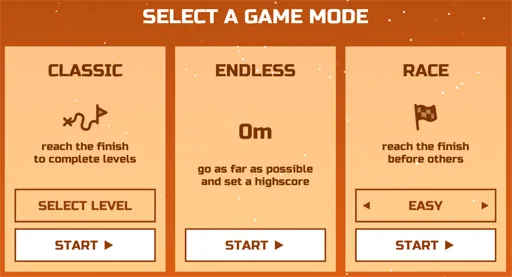
From the level select screen, choose one of 33 emoji-rated stages:
- Green levels offer more space and friendlier angles, ideal for learning.
- Harder levels add tighter gaps and more obstacles.
- Pick any stage you want, even the toughest, if you prefer to learn by reacting fast.
22
Step 2: Learn the Controls
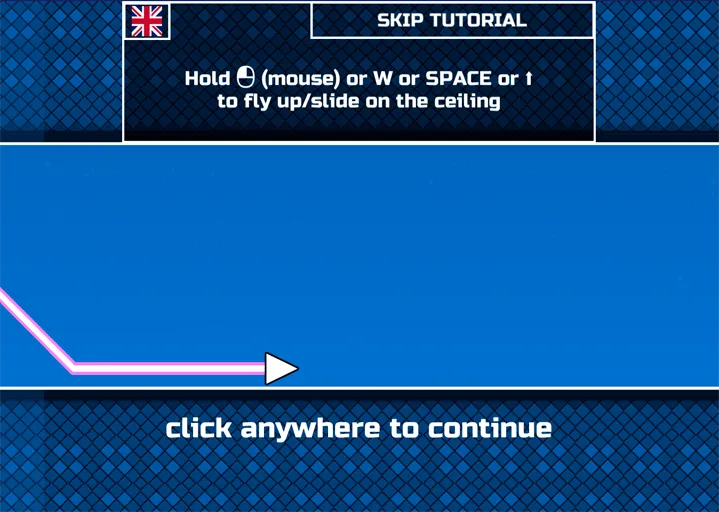
Movement is vertical: hold to rise, release to fall. There are no left/right steering keys like a top-down shooter.
PCHold the left mouse button, W, or Space to move your arrow upward. Release to drop.
MobileTap and hold the screen to rise. Let go to fall.
ShootingTap the screen to fire your laser at enemy spaceships and incoming threats.
33
Step 3: Survive Obstacles and Enemy Ships
Each tunnel keeps changing enough to stay unpredictable. Watch for these threats:
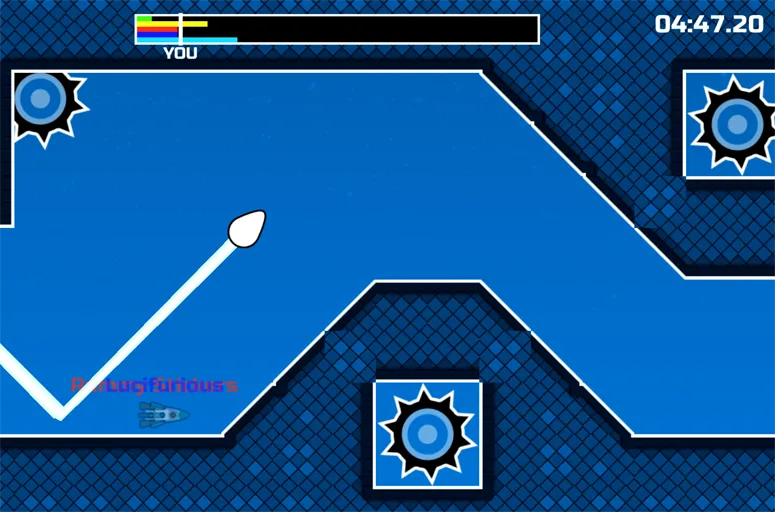
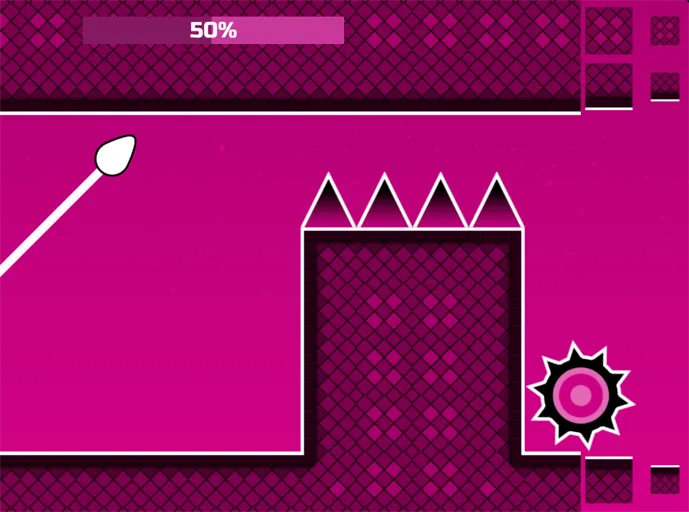
- Obstacles: walls, spikes, and spinning gears. One hit ends the run.
- Enemy ships: appear periodically and shoot at your arrow; destroy them for points.
- Power-ups: boost firepower, grant brief invulnerability, or slow the action so you can recover.
Small, steady corrections beat wild swings when the tunnel gets crowded.
44
Step 4: Choose World Mode 1 or Endless
World Mode 1The introductory world with wider tunnels, fewer obstacles, and a fixed endpoint. Best for learning control.
Endless modeNo finish line. Push as far as you can while hazards never stop coming. Best for a pure reflex test.
Start in World 1 to build confidence, then switch to Endless when you want to chase distance and score. Try both and see which fits your session.
The Basics: What You're Trying to Do
Space Waves puts you in control of a small arrow flying through a tunnel filled with obstacles. Your job is simple to explain and hard to execute: guide the arrow through every gap without touching a wall, a spinning gear, or a spike. Depending on the mode you choose, you're either racing to reach the end of a level or trying to survive as long as possible.
Controls
Space Waves uses minimal controls by design, so there's nothing to memorize before you start:
- Desktop: Hold the spacebar, the W key, or the left mouse button to climb. Release to drop.
- Mobile: Tap and hold anywhere on the screen to climb. Lift your finger to drop.
There's no combo system and no menu to dig through. The entire game is built around one input and split-second timing.
Choosing a Level
Levels are sorted by difficulty, and the game makes this easy to read at a glance through color coding. Easier levels give you wider gaps and gentler turns, which makes them a good place to build muscle memory. Harder levels tighten the spacing, add more moving obstacles, and demand much sharper reactions. You're free to jump straight into a hard level if you want, but most players find it faster to build skill gradually rather than fighting through repeated crashes on a level that's too far above their current pace.
What's Actually In Your Way
As you fly through each tunnel, expect a mix of obstacle types:
- Static walls that require precise gap threading
- Spinning gears that rotate on a timer, so timing matters as much as position
- Spikes that punish even a slightly late reaction
- Occasional enemy ships that fire shots you'll need to dodge or destroy
Hitting any of these sends you back to the start of the level, so the goal on early attempts isn't speed, it's reading the pattern correctly.
Understanding the Pace
Space Waves starts manageable on purpose. The first stretch of any level or run gives you time to get a feel for the rhythm before things tighten up. Pay attention to how the difficulty escalates, it's deliberate, not random, which means you can actually anticipate when things are about to get harder instead of being caught off guard.
Common Beginner Mistakes
Most new players lose their first few runs the same way: overcorrecting. When an obstacle appears, the instinct is to make a big, sudden tap, but small, controlled adjustments work better and keep your arrow centered for whatever comes immediately after. Another common mistake is staring directly at the arrow instead of the obstacles ahead, which leaves you reacting late instead of anticipating early.
Your First Goal
Don't aim for a high score on your first few attempts. Aim to get a clean read on one full obstacle pattern without crashing. Once you can consistently clear that first stretch, the rest of the level starts to feel a lot more predictable, and your scores will follow naturally.
Ready to push your score higher? See our tips and tricks guide.
Play Space Waves 2 →