


Open Spooky Dash in your browser with no download. Use the left home icon to pick one of ten pumpkin or skull avatars. Select Standard Mode for a full clear attempt or Practice Mode while you learn harsh jump sections.
What's Spooky Dash game?
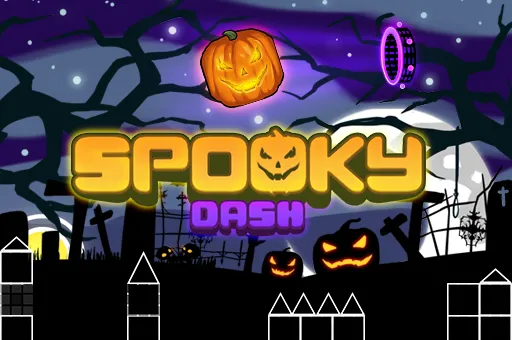
Spooky Dash drops you into a midnight side scrolling run where a carved pumpkin races along the ground while Halloween scenery scrolls past. Dead trees, iron fences, and floating candles set the mood, but the real pressure comes from spikes, stacked blocks, and traps that rise from below or hang from chains above. The route moves on its own. You supply jumps, slides, and calm timing so the avatar never kisses a hazard.
Music drives the pace. As a stage progresses, obstacle bursts often line up with the beat, and the scroll speed can climb to match the soundtrack. That rhythm layer turns simple jumps into memory tests. A gap that felt roomy on attempt one can feel razor thin once the tempo picks up, which is exactly why fans of dash style platformers keep restarting after a crash.
Before you enter a level, the home screen lets you dress your runner, open the map builder, or jump straight into play. Ten avatar options mix silly jack o lanterns with skull themed faces, so the run can look goofy or grim depending on your pick. No install is needed on spacewaves2.net. Tap Play and the stage loads inside your browser tab.
Ten costumes and a pumpkin hero
Character choice is more than cosmetic flair. Each avatar shares the same jump rules, but the varied faces and skull designs make long grind sessions less repetitive. Open the leftmost icon on the title screen to browse the full roster before you commit to a run.
Some pumpkins wear exaggerated expressions. Others swap the gourd body for bone white skulls with sunglasses or glowing eyes. Pick one that you can spot clearly against the dark blue night background so your eyes stay on upcoming traps instead of the portrait.
Hazards along the haunted lane
Levels play like classic auto runners with a horror paint job. Black blocks with white outlines stack into walls and platforms. Single spikes and spike rows punish late hops. Some obstacles pop up from the floor without warning, while others dangle from chains over narrow safe zones.
The built in stage titled around scary skeletons is a strong sample of the rule set. It strings together ground slides, ceiling spikes, and tight landings that reward players who listen to the music as much as they watch the terrain. One touch restarts the attempt, so clean reads matter more than reckless mashing.
Standard run versus practice warmup
Two play styles cover different skill levels.
- Standard Mode: One mistake sends you back to the start. Use this when you want a full clear and a honest score.
- Practice Mode: Better for learning brutal segments without repeating the entire map. Warm up on hard jumps here, then switch to Standard when the timing feels natural.
Casual players can stay in Practice until muscle memory forms. Dedicated rhythm fans will flip to Standard for the satisfaction of a single unbroken route through the scariest sections.
Title screen layout in three taps
The menu uses three clear icons across the home row.
- Left icon: Open the avatar gallery and lock in your pumpkin or skull look.
- Center icon: Launch the main stage and begin the auto run.
- Right icon: Enter the level builder to load a saved map or start a new layout.
That layout keeps setup fast. You are never more than one click away from either a fresh run or the editor after a failed attempt.
Map builder with five brush sets
Spooky Dash includes a creation mode for players who want to design traps instead of only surviving them. The editor offers five brush categories. Press keys 1 through 5 to swap between them, and tap the same key again to cycle items inside each group. Two background music tracks are available when you test a layout.
When a stage feels ready, press O to save. You can reload older work from the builder menu and share informal challenges with friends who also play browser arcade games. Limited brush slots force creative restraint, which often leads to tighter, meaner maps than a tool with endless menus.
Jump input that looks easy and plays hard
Core movement stays minimal on purpose.
- Press Spacebar, W, or the up arrow to jump on desktop.
- Click or hold the left mouse button to jump or hold height when the stage allows it.
- Use arrow keys or WASD when a section needs direction changes beyond a single hop.
- On mobile, tap or long press the screen for the same actions.
Do not let the short control list fool you. Success is almost entirely about when you press, not how many buttons you know. Jump slightly early and you land on spikes. Jump late and a pop up block catches you. Watch the next obstacle, not your avatar sprite, so your finger moves with lead time.
Rhythm cues when speed climbs
Late sections sync faster scroll speed with denser trap placement. Treat the soundtrack like a metronome. If you can hum the beat, you can often predict when a triple spike row or chain hazard will appear.
Restart quickly after a fail while the pattern is still fresh. Long pauses between attempts let the audio memory fade, which makes the same jump feel harder on the next try.
More seasonal and rhythm picks here
Spooky Dash leans into Halloween visuals with dash platform pacing. For other geometry titles on spacewaves2.net, try these:
- Egg Dash for a bright holiday themed rhythm route with collectible eggs.
- 3Dash for rotating three dimensional cube stages and a ten slot editor.
- Geometry Arrow 2 for six music locked flight maps with wheel characters.
- Geometry Games and Wave Games for every browser arcade page on the site.
How to Play Spooky Dash
1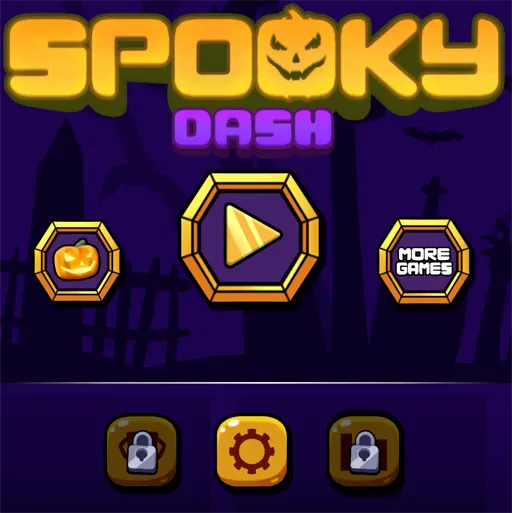
Choose an avatar and a mode
2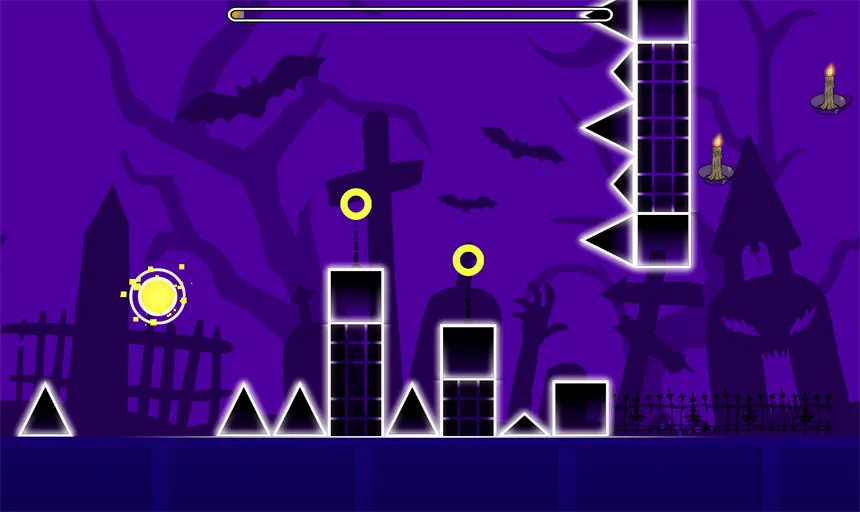
Jump and slide through the night route
Press Spacebar, W, the up arrow, or click to jump. Avoid spikes, stacked blocks, and chain traps while the pumpkin auto runs forward. Match jumps to the music as speed rises.
3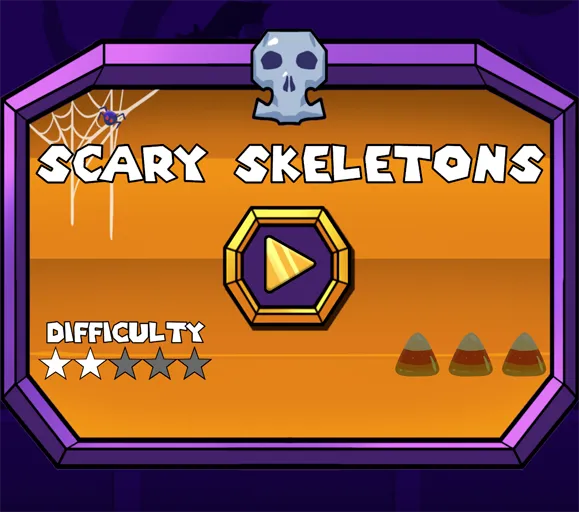
Build a custom scare stage
Open the right home icon to enter the level builder. Switch brush sets with keys 1 to 5, place traps and platforms, pick a music track, then press O to save your map for replay or sharing.
FAQs about Spooky Dash
Yes. Spooky Dash on spacewaves2.net runs inside a browser tab at no cost. No account or download is required to start a stage.
It is a Halloween themed rhythm platformer. You guide a pumpkin or skull avatar through auto scrolling obstacle lanes while timing jumps to the music.
Use Spacebar, W, the up arrow, or a mouse click to jump on desktop. Arrow keys or WASD handle extra direction when needed. Tap or long press the screen on mobile.
Standard Mode restarts the full stage after any hit. Practice Mode is better for rehearsing difficult segments before you attempt a clean Standard clear.
Yes. Ten avatars are available from the left title icon. The right icon opens a builder with five brush categories, two music options, and an O key save command for custom maps.